Import Elementor Kit Import
Steps to add elementor kit import in Growla Theme:
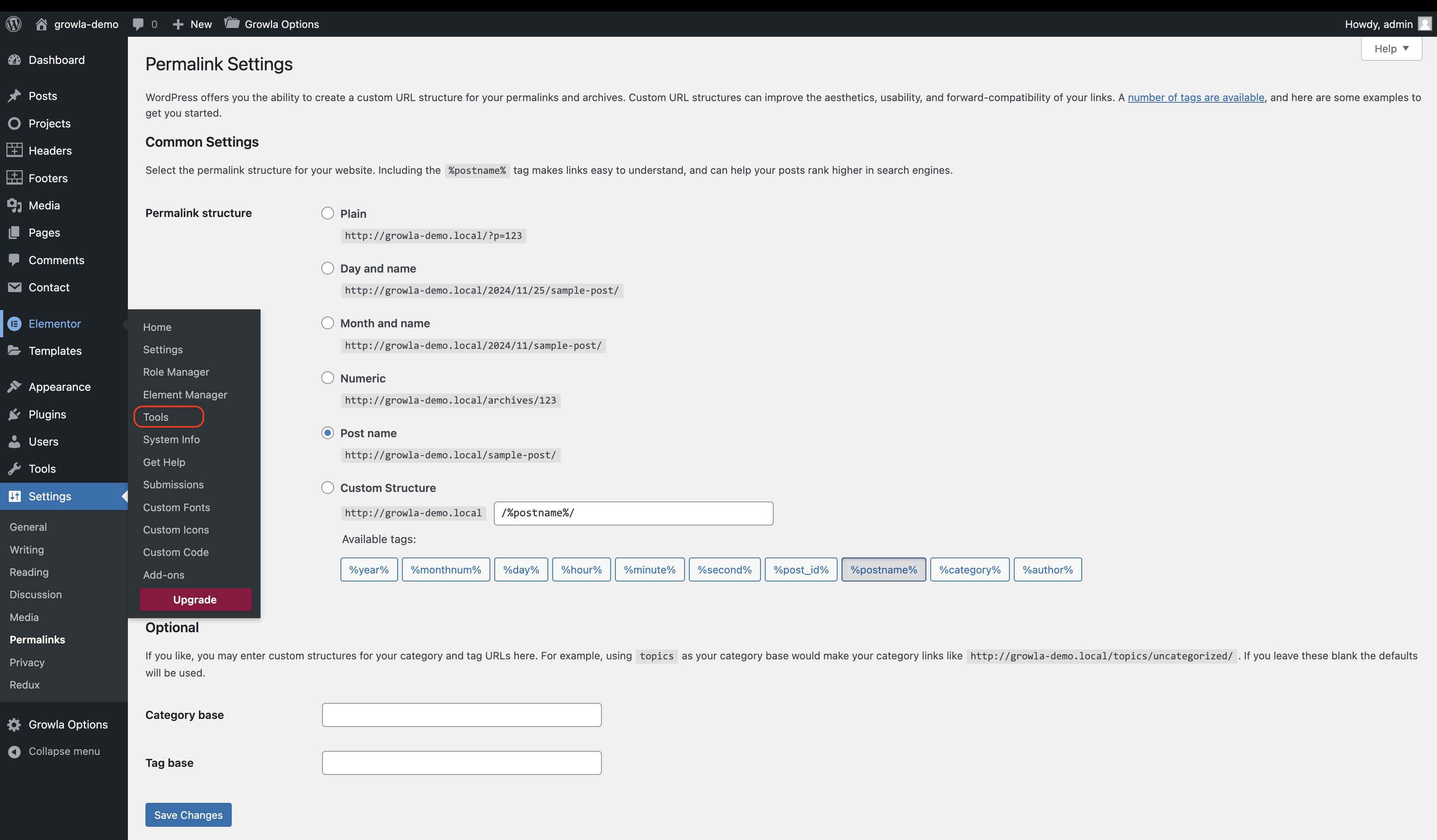
- Go to Elementor → Tools → Import/Export Kit.
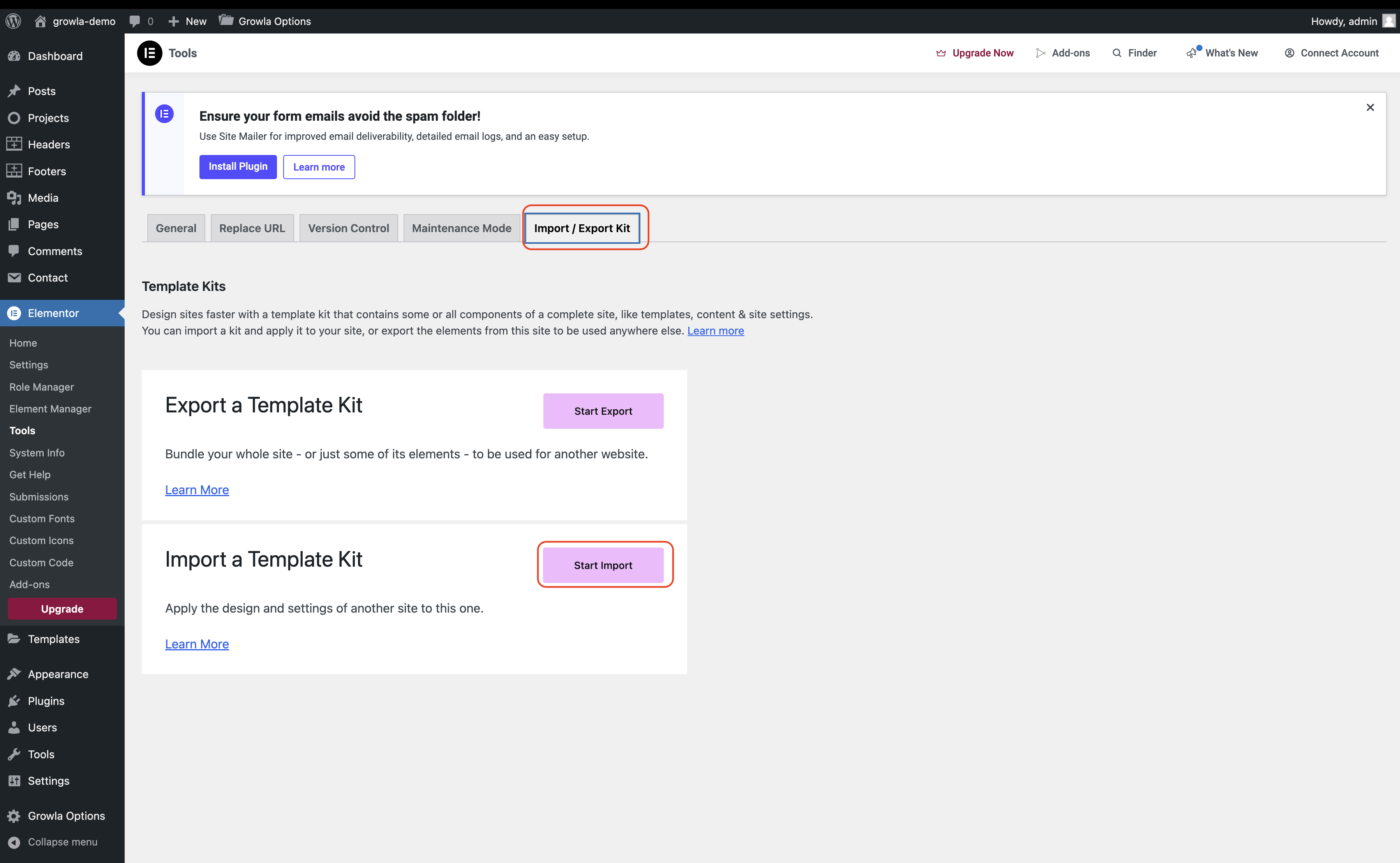
- Click Start Import.
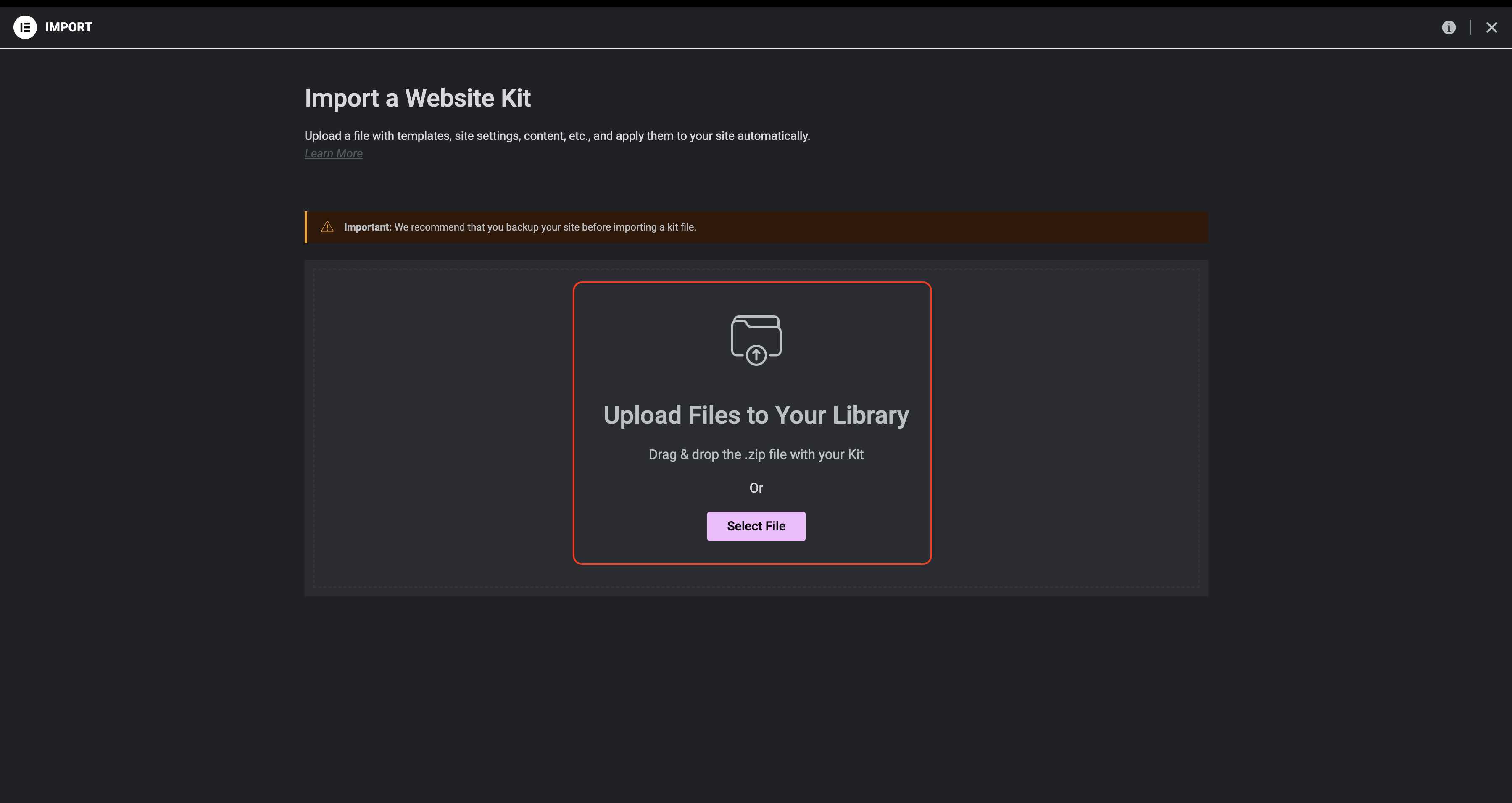
- Upload the relevant .zip Elementor kit file (bundled with the theme).
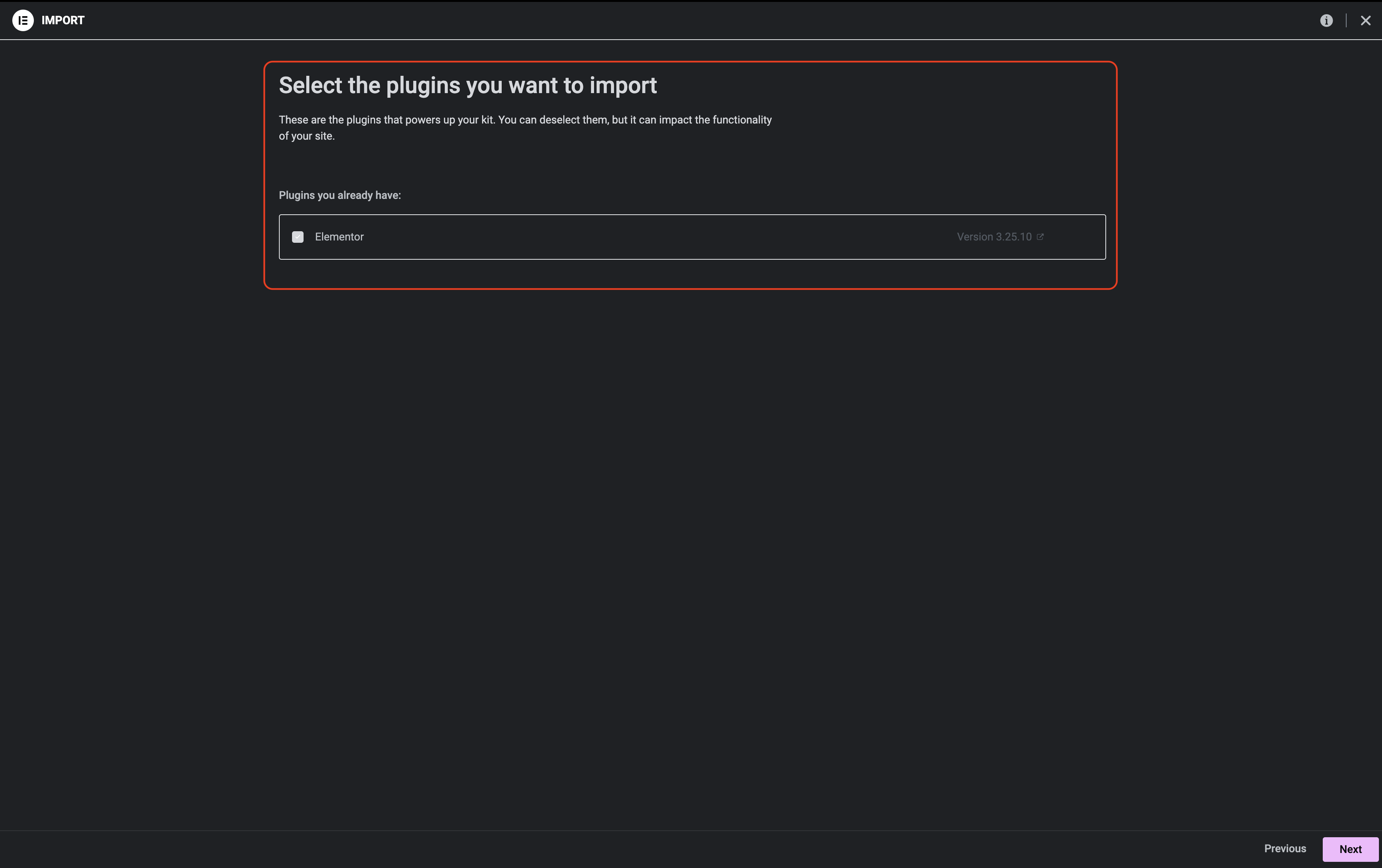
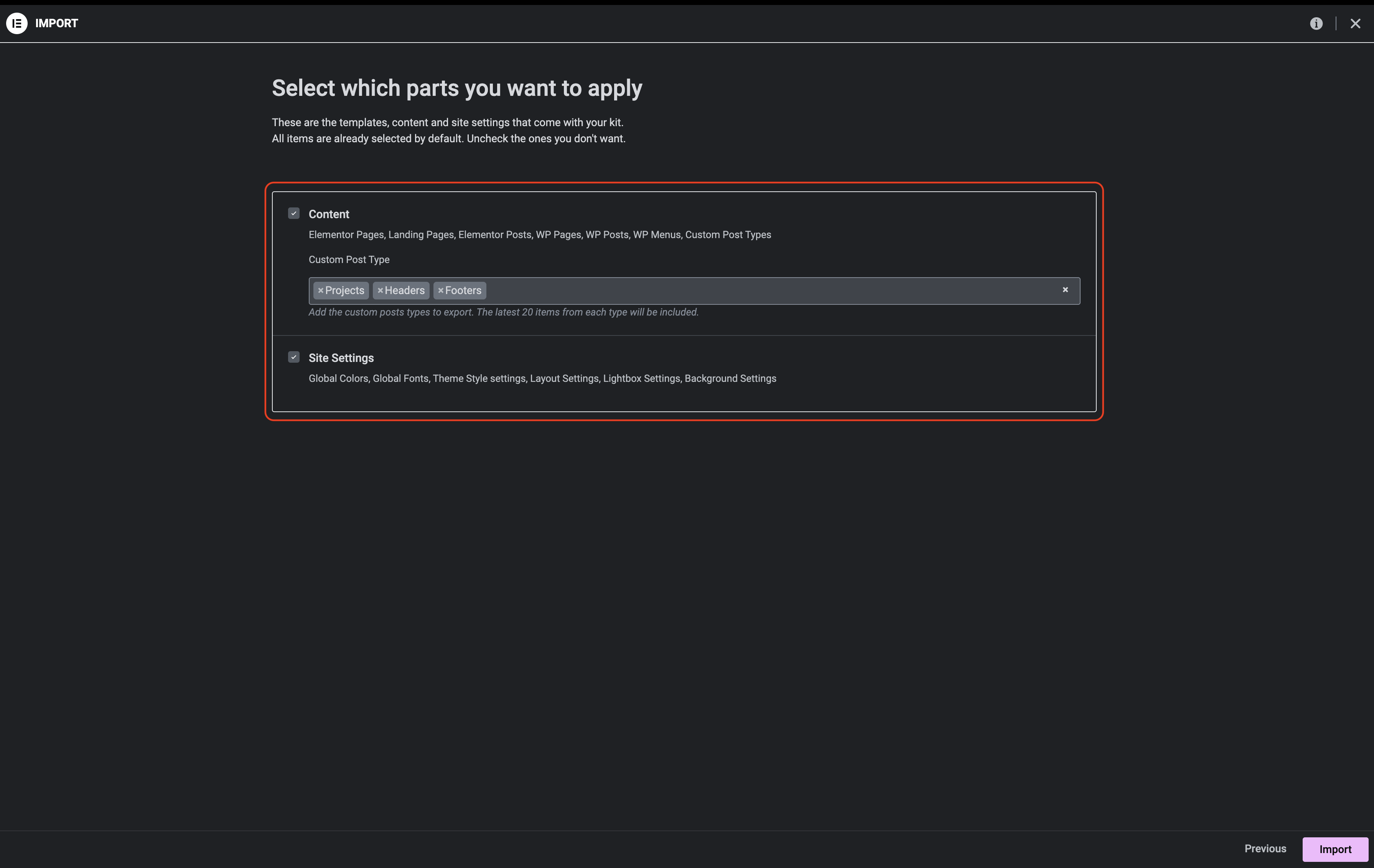
- Select all options for import and apply changes.
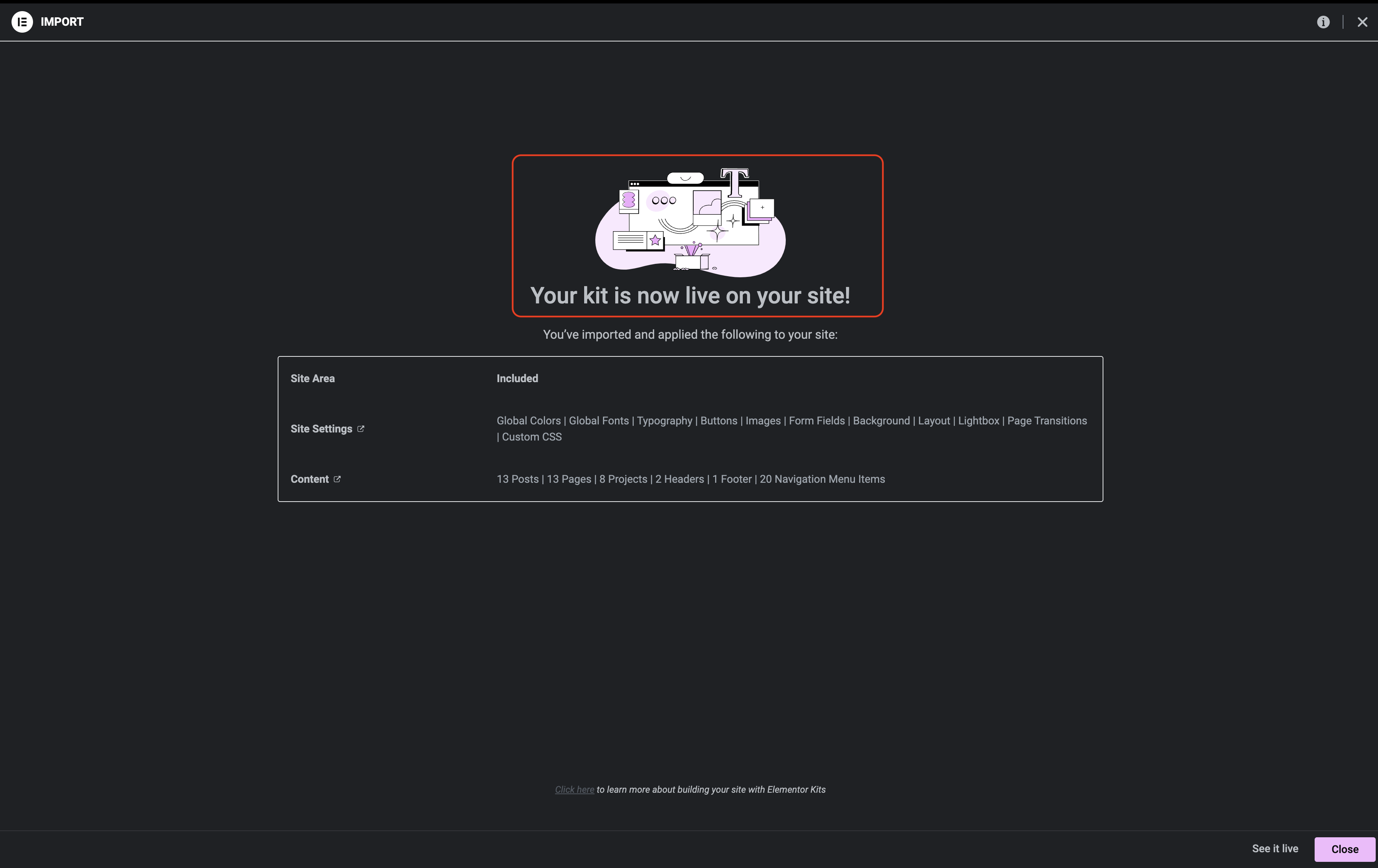
- Upon success, a confirmation screen will appear.
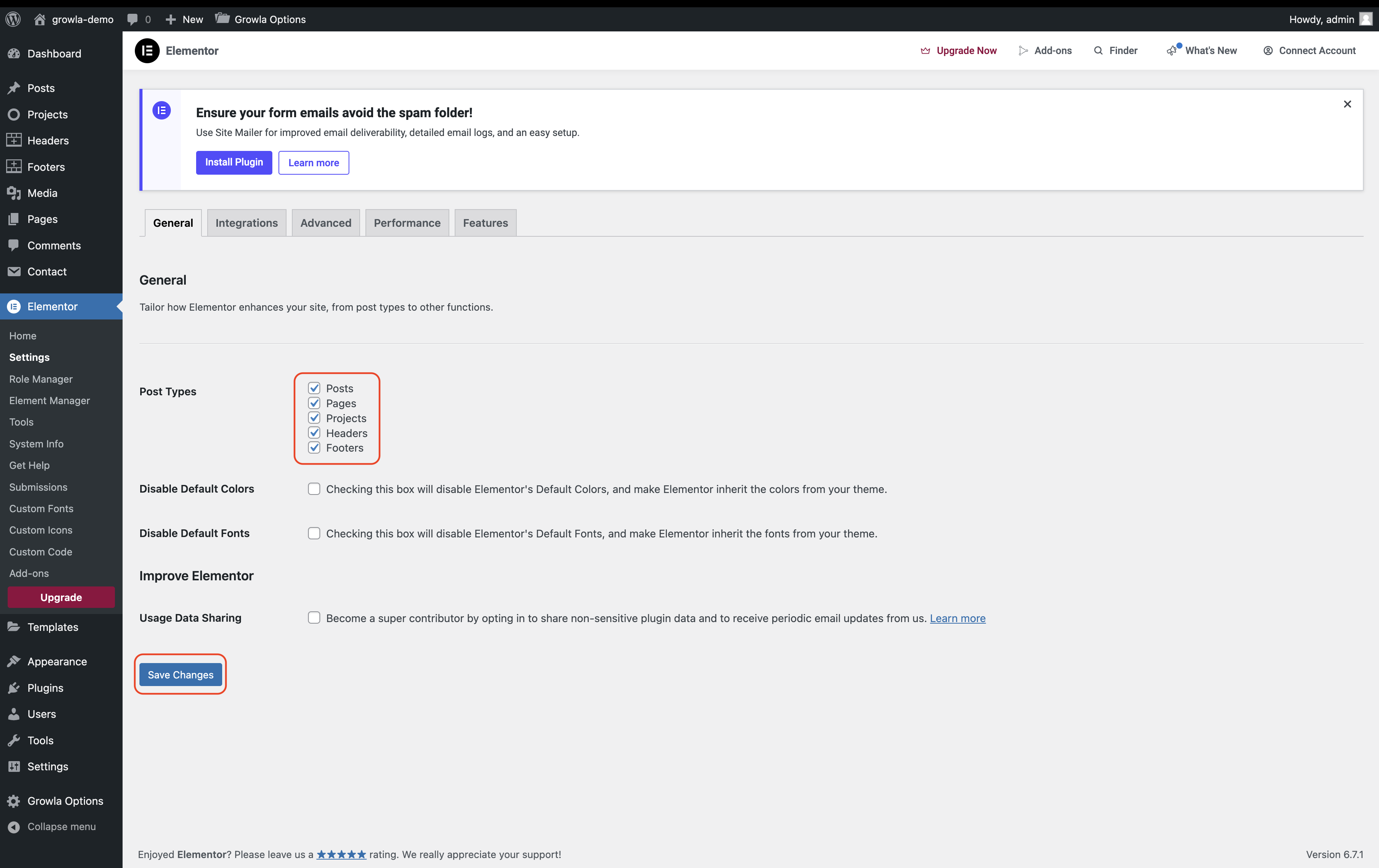
- Make sure the checkboxes mentioned in the following screenshot are checked. After checking them, click 'Save Changes'.